Cybercrime is a common issue across Canada. The Canadian Cyber Centre has identified ransomware in particular as a “growing threat,” with AI tools boosting criminals’ efficiency. Other prevalent dangers include malware attacks and phishing scams.
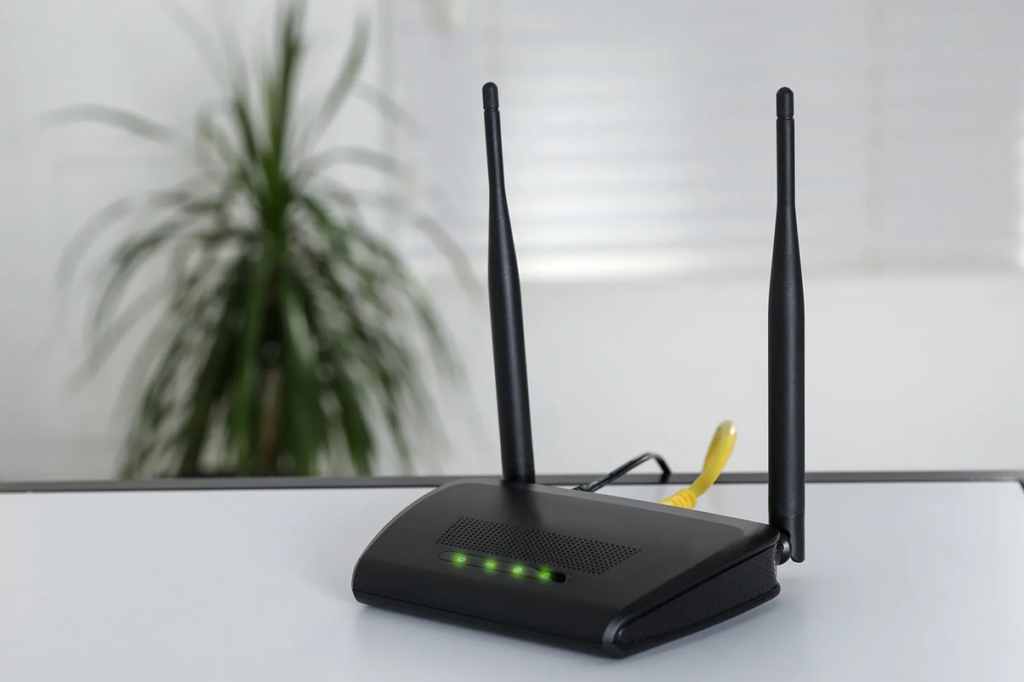
Without a safe router setup, hackers and cybercriminals can exploit security vulnerabilities to steal information undetected. That’s why securing your brand-new router and home network correctly is so important.
Update Your Router Access Credentials
Changing your router access credentials and network name will help you protect your data at home. The default network name (‘service set identifier’ or ‘SSID’) and passwords supplied with routers are well known. It’s up to you to create safer alternatives.
If you think adjusting your router credentials is complicated, don’t worry — you can change your network name and password in a few quick steps.
But choose your new credentials with care:
● Avoid using key details (e.g., your date of birth or your child’s name) in your credentials. Hackers may be able to guess these with a little legwork, especially if your personal information is visible on social media profiles.
● Make sure your password is 16 characters or longer, featuring letters, symbols, and numbers. Avoid common substitutions like replacing an “a” with “@” or an “e” with “3”, as these patterns are well known.
● Don’t reuse the same password you’ve set up for any other networks or accounts, and always create a unique string of characters. Use a secure password manager if you find it difficult to remember the passwords you create.
● Update your SSID and password regularly. Refresh your credentials every few months or immediately after a guest or unfamiliar device has connected.
When your new SSID and password are in place, your network will be less vulnerable to exploitation.
Install a Reliable Firewall
Firewalls are simple to install and add an extra layer to your home network’s security. A firewall will monitor all outgoing and incoming traffic passing through your router and filter it to mitigate risks. By assessing data packets in detail, firewalls will know within seconds whether to allow or block data transmissions. With a high-quality firewall in place, you can prevent your home network from being targeted. It will help stop viruses from infecting your systems and reduce the risk of your router being overwhelmed by traffic.
If you work from home, installing a trusted firewall will also protect your professional activities along with your personal ones. Without one, sensitive work data could be exposed to the same threats as your personal browsing. A breach that starts on your home network could extend to your employer’s systems, potentially putting you in violation of company security policies or even data protection regulations.
Activate Encryption
Encryption is essential for securing your new home router. Encryption scrambles data, making it unreadable to unauthorized users. Sensitive information stays safe, and hackers are not able to intercept data during transmission.
Before you go online with your router, check its encryption configuration: it should be either WPA2 or WPA3 Personal. Experts widely regard these two encryption types as the most secure. If your router uses an alternative, you can log into its settings to adjust the encryption type.
However, if your router doesn’t appear to have either of these encryption types, contact your network provider. Your router could be unsuitable for your needs or outdated.
Use a Secure Virtual Private Network (VPN)
A VPN is a great defence against hackers and cyberattacks. When you use a VPN, you keep your IP address hidden to protect against tracking software and hackers. A VPN creates an encrypted internet connection between your device and a dedicated server — even if unauthorized users manage to intercept your data, they won’t be able to understand it.
A VPN is easy to set up and use, even for complete beginners. You can access thousands of servers worldwide and stay safe on most platforms. When you’re choosing the best VPN software for yourself, take the time to read reviews and assess value for money.
Keep Router Firmware Updated
Your router runs on firmware: software that controls every function it performs. From managing data transmission to fighting threats, solid firmware performance is integral to your router’s functionality.
But like any type of software, firmware can have vulnerabilities that you need to fix. To keep your router operating at its best and maintain effective security, you should update it often. If possible, allow automatic updates to take the responsibility out of your own hands. New firmware updates can add security improvements, address bugs, and ensure device compatibility.
Set Up a Separate Network for Guests
If you often have friends and family over to your house, they are likely to hop onto your Wi-Fi during visits. You may not think anything of giving your Wi-Fi password over. But what if you have a visitor you don’t know so well? A friend of a friend, perhaps, or a professional working on your property?
Once someone has access to your main network, they can see other connected devices, intercept unencrypted traffic, and potentially access shared files or folders. A tech-savvy individual with bad intentions could even use your network to carry out illegal activity, which would trace back to your IP address, not theirs. Setting up a separate guest network allows you to give visitors access without exposing your main network.
Remove Remote Router Management
Remote router management allows you to access and manage your router from outside the home. It may not even be you — anyone with the necessary credentials could sign in.
If an identity thief penetrates your network, they could gather information for fraudulent activities. Disable remote router management and prevent all users, even you, from managing your network without being in your home. You can typically find this option in your router’s admin panel under advanced settings.
Deactivate Your Universal Plug and Play (UPnP)
With UPnP, you can hook smart devices (such as a smart speaker) up to your home network with ease. The ability to connect multiple devices and switch between them as needed is convenient.
But UPnP has a downside: it lets devices communicate across your network without any authentication. As a result, bad actors can take advantage of this setup and breach your network. They could steal private information or launch malware attacks that compromise your devices. Deactivate UPnP on your router via its interface. It is a small change, but it can make a big difference to your network security.
Final Thoughts
Setting up your brand-new home router can be exciting. Often it means faster connectivity and smoother performance. But it brings various security risks that you need to be aware of and mitigate.
Using a firewall, setting up considered the best VPN on Reddit, and following the other steps above will help you protect your home network. Keep your firmware updated and never hesitate to contact your provider if you have security concerns. They should be happy to offer advice and recommend solutions to improve your network safety.