Turning a spare corner, shared room, or unused alcove into a workspace that actually supports sustained, focused work is harder than it looks. The earliest decisions carry the most weight — and none more so than foundational furniture.
Start with the Way You Actually Work
Choosing modern desks is often the first meaningful step, since the desk directly shapes your posture, device placement, and how smoothly you move through daily tasks. Good office design is less about aesthetics and more about building a space that fits the way you genuinely work.
Before purchasing anything, take an honest look at what your work truly requires. A writer needs clear surface space and minimal clutter. A designer may need dual monitors and room for peripheral tools. A manager who spends half the day on video calls needs a clean background and reliable audio. Matching the layout to the tasks — rather than forcing your tasks to accommodate the layout — is the most practical place to begin.
Choose the Right Location in the Home
A dedicated room offers the most control, but alcoves and corner setups can work remarkably well too. Prioritize natural light, proximity to outlets, and low foot traffic. The best location is simply the one that makes it easy to start working and stay focused — not necessarily the largest space available.
Build the Workspace Around Ergonomics
Ergonomics is about arranging your workspace to reduce physical strain over time, and it matters more than most people expect. The desk surface should sit at elbow height when you’re seated. A monitor positioned at roughly eye level and arm’s length away reduces neck strain considerably. A chair with solid lumbar support keeps the spine in a neutral posture, which prevents the lower back fatigue that tends to creep in during long sessions.
Select a Desk That Fits the Room and the Work
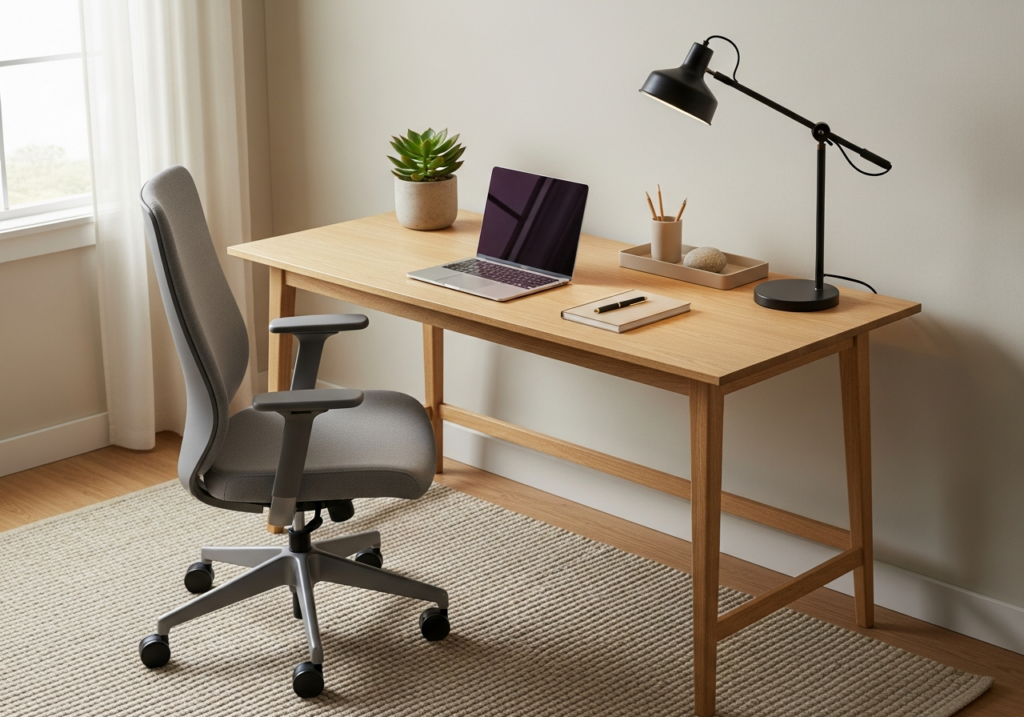
Desk size should match both the available space and the scope of your daily tasks. Surface depth determines how far back a monitor can sit; width determines whether a multi-device setup feels cramped or comfortable. Stability, cable management, and material durability are the practical factors that will matter far longer than any aesthetic trend.
Key Takeaway: A desk should support your workflow first, and your style second.
Pair the Desk with Seating That Supports Long Sessions
A chair is a core component of the workstation — not an afterthought. Look for adjustability in seat height, back support that follows the spine’s natural curve, and a seat depth that allows the knees to bend at roughly 90 degrees. A chair and desk should be evaluated together as a functional unit, since the two work in tandem to determine how your body holds up over the course of a long day.
Use Lighting to Reduce Strain and Improve Focus
Overhead lighting alone is rarely enough. A combination of ambient light, task lighting, and natural light tends to work best. Position the monitor perpendicular to any windows to minimize glare. A desk lamp directed at the work surface — not the screen itself — goes a long way toward reducing eye fatigue during extended sessions.
Keep Clutter Under Control with Simple Storage Systems
Clutter competes for attention in ways that are easy to underestimate. A straightforward approach is to store items based on how often you actually use them:
- Daily-use items within arm’s reach
- Weekly-use items in drawers or nearby shelves
- Rarely used items removed from the immediate workspace entirely
Cable organizers and document trays reduce visual noise without requiring an elaborate system to maintain.
Reduce Distractions Without Making the Room Feel Isolated
In shared spaces, soft boundaries can make a real difference — a consistent schedule, a rug that delineates the work zone, or deliberate control over what falls within your visual field during focused hours. Someone working from a dining area can still create a functional workspace by being intentional about what surrounds them while they work.
Add Personal Touches That Support Focus, Not Distraction
A plant, a piece of art, or a preferred color palette can make a space feel genuinely comfortable without cluttering it. The goal is an environment that feels calm and consistent — one that makes starting work easier, not one that competes with it.
Common Mistakes to Avoid When Setting Up a Home Office
- Buying furniture before measuring the room
- Prioritizing appearance over comfort and ergonomics
- Ignoring cable management until it becomes a genuine problem
- Using lighting that creates glare on the screen
- Overfilling the desk with accessories that rarely get used
- Choosing storage without a real organizational system behind it
How to Evaluate Whether the Setup Is Working
After a few weeks, ask yourself a few honest questions: Do you sit comfortably for long stretches? Can you find what you need quickly? Does the space make it easier to begin work? Make small adjustments rather than overhauling everything at once.
Key Takeaway: Good office design is iterative. A workspace that functions well is one that gets refined gradually — not one that arrives perfectly assembled from the start.
A productive home office comes down to a handful of consistent principles: the right location, a desk scaled to the work, a chair that supports the body, thoughtful lighting, and a simple system for staying organized. The most useful question to keep coming back to is a straightforward one — what single change would make the biggest difference to how you work each day?